
Petro Path
Petro PathBusiness
4.070.00 Reviews
- Version
- 4.9.5
- Installs
- 10.00K
- Age Rating
- Everyone
Screenshots
Our Review of Petro Path
 Analysis by Appyee
I judge an in-car tool by how quickly I can understand what it is asking me to do, especially when I am tired, in an unfamiliar place, or trying to plan before setting off. Petro Path is a business app from Petro Path focused on finding oil and gas well directions. It is free to install, rated for Everyone, and has a 3.9 average from around 150 ratings. That makes it worth considering for people who regularly need well-location information, though its specialist purpose means it is not a general travel companion for every driver.
Designed around well locations
The key distinction is the kind of destination this app serves. Rather than treating fuel stations as its central task, Petro Path is aimed at searching for, saving, and sharing directions to oil and gas wells. That makes it most relevant to field personnel, contractors, and others who need to reach specific sites as part of work. For someone looking for everyday petrol stations, a conventional fuel-finder or map app is likely a better fit.
I would approach a well-location app as one part of a travel workflow, not as a substitute for judgement on the ground. Before leaving, it makes sense to check the destination details, save the relevant location, and share the route information with a colleague when coordination matters. Saving a destination in advance can also reduce the amount of searching needed once attention should be on the road.
Using Petro Path in the field
I find Petro Path most useful when I treat it as a preparation and coordination tool, rather than something to operate while driving. In this section, I’ll look at what makes a map-led workflow easier to follow and where screen use may still take extra effort. That distinction matters before considering how well it fits different field situations.
Readability and navigation
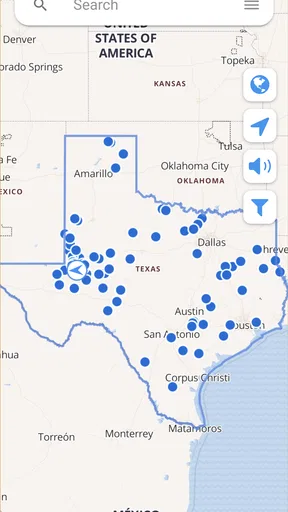
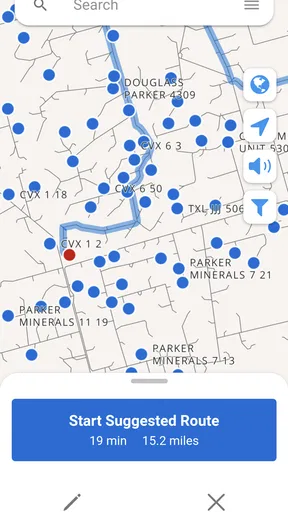
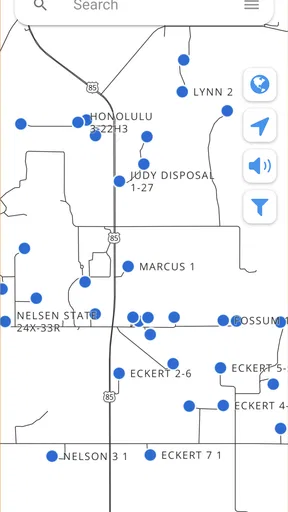
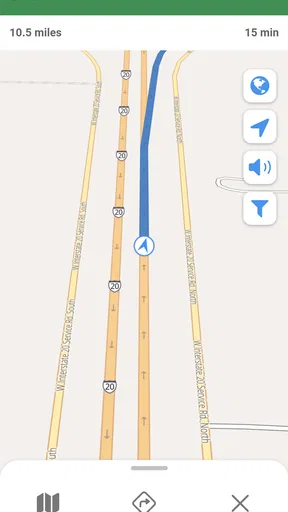
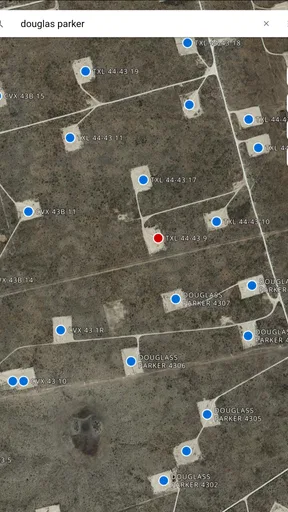
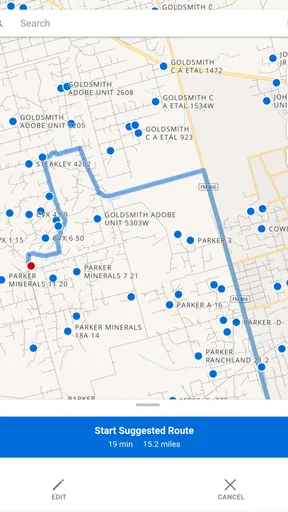
When I first opened the app, I was greeted by a clean and straightforward layout. The map is the star of the show, with navigation that feels easy to follow. You can zoom in and out to inspect locations or consider a stop farther along your route. I appreciated the restrained visual treatment because a map is most useful when its essential information is easy to pick out.
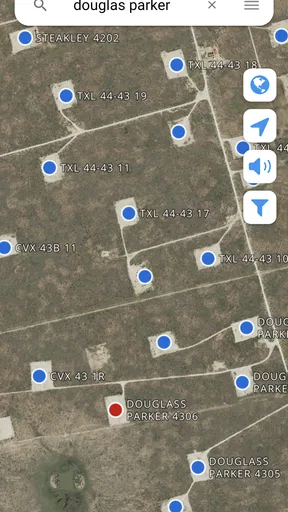
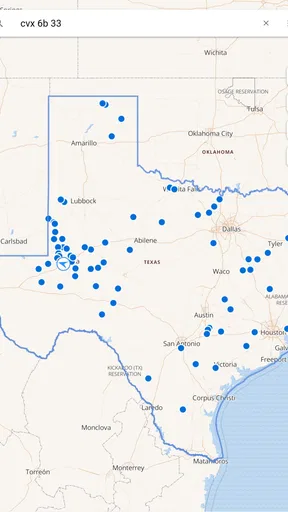
The search bar is useful when you already know the area or destination you want to check. For a practical routine, I would search while stationary, compare the results with the work instructions I have, and save the intended location before setting off. This is a small but important trade-off: a map can make a destination easier to inspect, but it cannot resolve an ambiguous site name or replace confirming that you have selected the right well.
Motor and sensory considerations
A map-based interface can be easier to interpret than a long written set of directions for some people, but it still calls for looking at the screen and making selections. If prolonged visual attention or precise tapping is difficult, I would prepare the route before driving and avoid trying to search while moving. Anyone who benefits from larger text, spoken guidance, or alternative input should check how the app behaves on their own device rather than assume those options are built in.
For drivers with sensory or motor needs, a safer workflow is to ask a passenger to handle searches and route changes, or to pause somewhere safe before interacting with the phone. Even when the map seems simple, glare, small on-screen controls, road vibration, and a changing signal can make an otherwise straightforward task harder. I see advance preparation as the most useful accessibility measure a user can control here.
Situational access and everyday use
Imagine a field worker heading to a well in an unfamiliar area. Before leaving, they search for the destination, save it, and share the directions with a teammate who may be following separately. That sequence can make coordination clearer than sending a vague place name in a message. At the site, the saved destination gives the worker a reference point without requiring them to repeat the original search.
Petro Path has been available since May 4, 2016, and its current version is 4.9.5, with support starting at Android 5.0. Its business focus is reflected in a modest audience of over 10,000 installs, so I would think of it as a practical niche tool rather than a universally adopted navigation standard. The free download lowers the barrier to trying it, while in-app purchases range from $1.99 to $19.99 per item; I would check the purchase details before relying on any paid option for a work process.
What it does—and where it may fall short
The app’s search, save, and share workflow is most valuable when a destination needs to be found again or passed between people. One useful habit is to save locations with enough context in your own work notes to distinguish similar destinations; a saved pin is only helpful if you can identify why you saved it later. Another is to share directions before a trip rather than assume a teammate will be able to recreate your search at the same time.
Compared with a general map app, Petro Path’s advantage is its oil-and-gas well focus. General maps are often the more familiar choice for ordinary navigation and broad destination searches, while a specialist app can be more relevant when the destination itself is a well. I would keep a regular navigation option available for the rest of a journey, and use Petro Path for the well-related part rather than expecting one tool to cover every road, access condition, or workplace procedure.
The limitation is that specialist directions do not remove the need to verify the destination and the route in context. Field access can depend on current instructions and local conditions, so I would not treat a map result as permission to enter a site or as a guarantee that a road is suitable. If you need a full fleet-management system, extensive trip planning, or a broadly accessible navigation experience, a different tool may serve you better.
Who should give it a try
I can see Petro Path being useful for people who regularly search for oil and gas well locations and want a way to save or share directions. It is also a reasonable option for someone who receives well destinations from colleagues and wants to check them on a map. Occasional users may appreciate having a focused tool for those specific trips, but someone who only needs nearby fuel stations or ordinary turn-by-turn navigation should start with an app built around those everyday needs.
Petro Path is a focused choice, not an all-purpose road app. Its value depends on whether well directions are part of your routine and whether its map and controls work comfortably for you. I would try it before depending on it for a time-sensitive work trip, establish a save-and-share habit, and keep your usual navigation and workplace checks in the loop. For the right user, that makes it a potentially useful companion for reaching the right kind of destination, while its narrower purpose and the need to verify site details remain important limits.
Discovering Petro Path
First off, let’s talk about what Petro Path actually does. At its core, it's designed to help you find the nearest gas stations based on your current location. But it doesn’t stop there! The app also provides real-time fuel prices, helping you save a few bucks here and there—because who doesn’t love saving money, right?
User Interface and Experience
Now, onto the user interface. When I first opened the app, I was greeted by a clean and straightforward layout. The map is the star of the show, with its intuitive navigation making it a breeze to use. You can easily zoom in and out to check out nearby stations or plan a pit stop further down your route. I appreciated the subtle color scheme, which didn’t distract from the important info at hand.
One nifty feature is the search bar at the top. It’s super handy when you want to look up stations in a specific area. Just type in your destination, and voilà, you’ve got all the details you need.
Features That Stand Out
Okay, let’s dive deeper into the features that really caught my attention. The real-time price updates are a game changer. You can set alerts for when prices drop at your favorite stations, which is perfect for when you’re budgeting for a long trip. Plus, the app shows you different fuel types, so whether you need regular, premium, or diesel, Petro Path has got you covered.
Another highlight is the rewards program. It’s like a cherry on top for loyal users. Every time you fill up using Petro Path, you earn points that can be redeemed for discounts or even freebies. It’s a sweet way to keep users coming back for more, and who doesn’t love a good rewards program?
Navigation and Accuracy
Now, I know what you’re thinking. How reliable is this thing? Well, based on my experience, the navigation accuracy is pretty spot on. The app uses your phone’s GPS to pinpoint your location and guide you to the nearest station. I tested it on a couple of trips and didn’t encounter any hiccups. The directions were clear, and the estimated arrival times were surprisingly accurate.
One thing I’d suggest is keeping your GPS updated for the best results. It ensures that you’re getting the most precise directions possible.
Community Insights
Here’s something I found quite cool—Petro Path has a community feature where users can leave reviews and ratings for different gas stations. It’s like having a local guide in your pocket. You can see which stations are clean, have friendly staff, or offer the best snacks. I found this particularly useful when traveling through unfamiliar towns.
The community aspect adds a layer of trust and reliability, making you feel like you’re part of a larger network of savvy travelers.
Final Thoughts
All in all, Petro Path is a solid app that delivers on its promises. It’s user-friendly, packed with useful features, and it genuinely makes life on the road easier. Whether you’re planning a cross-country adventure or just your daily commute, this app is a must-have.
So, if you’re ready to make your travels smoother and your wallet happier, give Petro Path a try. You can find it on the App Store or Google Play, ready to download and start guiding you to the perfect pit stop.
Verdict
Strengths of Petro Path
- User-friendly interface for easy navigation.
- Comprehensive fuel tracking features.
- Customizable notifications for price alerts.
- Supports multiple fuel types and stations.
- Syncs data across devices seamlessly.
Limitations of Petro Path
- Limited support for older device models.
- Requires constant internet connection.
- Ads can be intrusive during use.
- Lacks dark mode option for night use.
- No social sharing features available.
Similar Picks in This Category
View All
LinkedIn: Community & Network
LinkedIn3.8

Zoom Workplace
zoom.com4.1

Microsoft Teams
Microsoft Corporation4.6

Meta Business Suite
Meta Platforms, Inc.4.6

Webex Meetings
Cisco Systems, Inc.4.5

TeamViewer Remote Control
TeamViewer4.4
Frequently Asked Questions
What is Petro Path and what does it offer?
Petro Path is a comprehensive app designed for drivers to locate the most affordable fuel prices nearby. It offers real-time updates on fuel prices, availability, and station amenities. Additionally, users can track their fuel expenses and find the most efficient routes to save on gas.
Is Petro Path available on both Android and iOS platforms?
Yes, Petro Path is available for download on both Android and iOS platforms. Users can find it on the Google Play Store for Android devices and the Apple App Store for iOS devices. The app is optimized for both operating systems, providing a seamless user experience.
How accurate is the fuel pricing information on Petro Path?
Petro Path provides real-time updates on fuel prices by using a combination of user submissions and data from fuel stations. While it strives for accuracy, users should be aware that prices can change frequently. The app encourages users to report discrepancies to ensure the most current information.
Does Petro Path offer any additional features beyond fuel price tracking?
Yes, Petro Path includes additional features such as trip cost estimation, a fuel expense tracker, and alerts for price drops. It also allows users to review fuel stations and access detailed information about amenities available at each location, such as car washes and convenience stores.
Is there a cost associated with using Petro Path?
Petro Path is free to download and use, but it may offer in-app purchases or premium features. These might include ad-free browsing or enhanced tracking capabilities. Users can choose whether to take advantage of these additional features based on their needs.
